Urban Farm
User Interface & User Experience
Overview
Urban Farm is a ios mobile app focused on sustainable equity. The mobile app allows users to make sustainable food choices by allowing users to buy organic produce at their nearby farmer market. The app is intended to reduce carbon emissions by buying local produce and helping small farming business owners. The app allows user to make transaction by scanning a QR Code for certain produce by linking their credit card account. In buying local produce, users will be awarded points that they can redeem for gift cards. This is an incentive for users to buy local and be more sustainable, while also making grocery shopping a interactive experience.
Role: UX Designer & Researcher
Time: 5 Weeks
Problem
According to the Environmental Protection Agency, transportation of good was placed second as the leading source of green house emissions in the United States. Due to continual fossil fuel combustion, deforestation, agriculture, and greenhouse gases, we are emitting more carbon dioxide, methane gas, and nitrous oxide into the atmosphere that the earth can handle. As a result, climate change is becoming a threat to the ecosystem for future generations.
“CLIMATE CHANGE AFFECTS US ALL, ACROSS EVERY CONTINENT IN THE WORLD.”
Process & Research
The topic of sustainability and farming is becoming an alarming situation due to climate change
Food connects communities together
Fresh food = Healthier Lifestyles
Increase jobs and income
Sustainable agriculture is on the rise, as researchers are finding new ways to improve the environment and promote social-economic equity
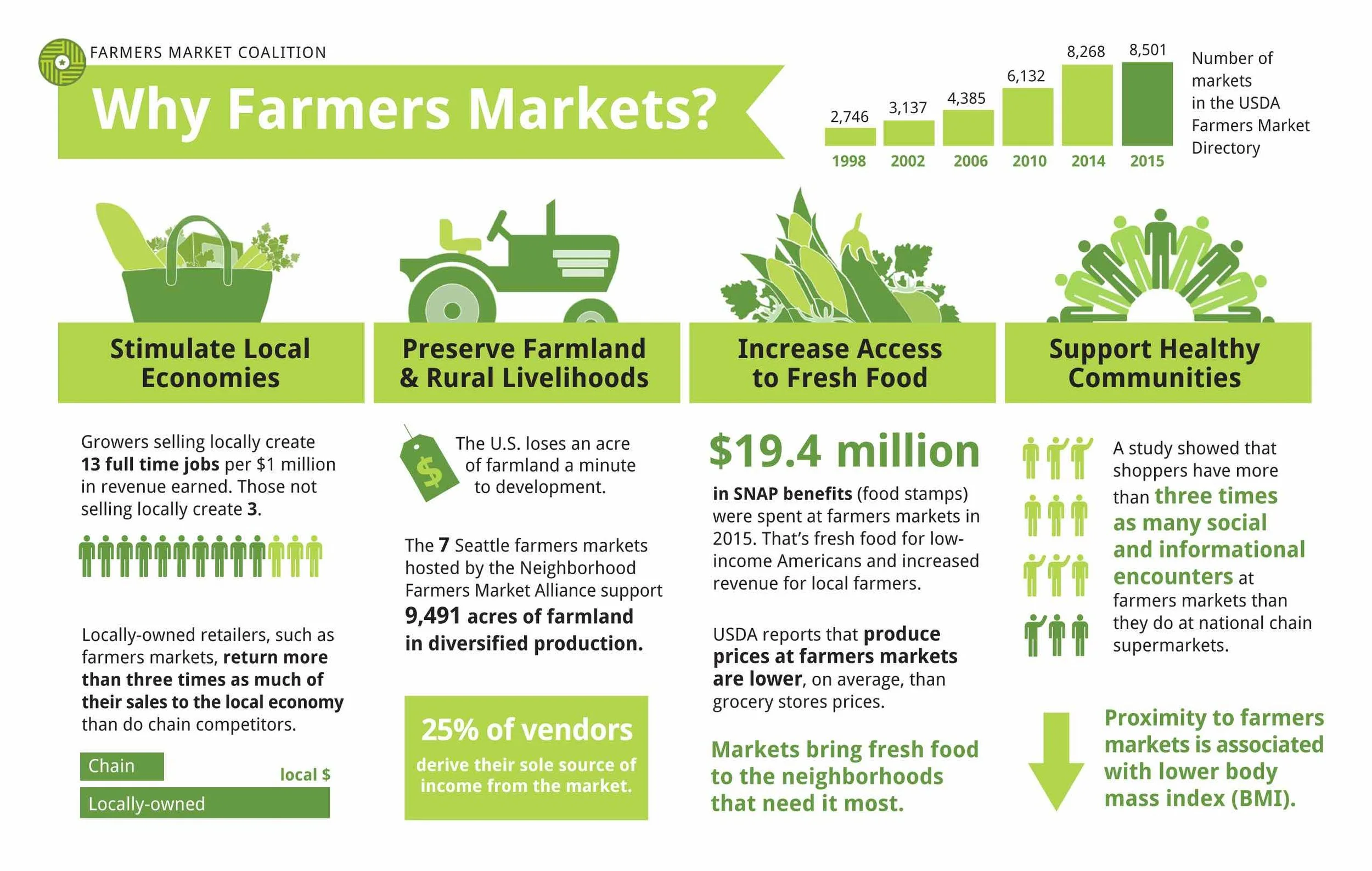
Source: National Sustainable Agriculture Coalition
Market Research
25 % of vendors income are derived from farmers markets
13 full time jobs per $1 million in revenue earned
19.4 Million SNAP benefits for low income families
Lower Body Mass Index
Target Users
Our target users will range from 20-30 years old
Millennials who want to live a healthy life style while also saving money
People who want to be sustainable
User Persona
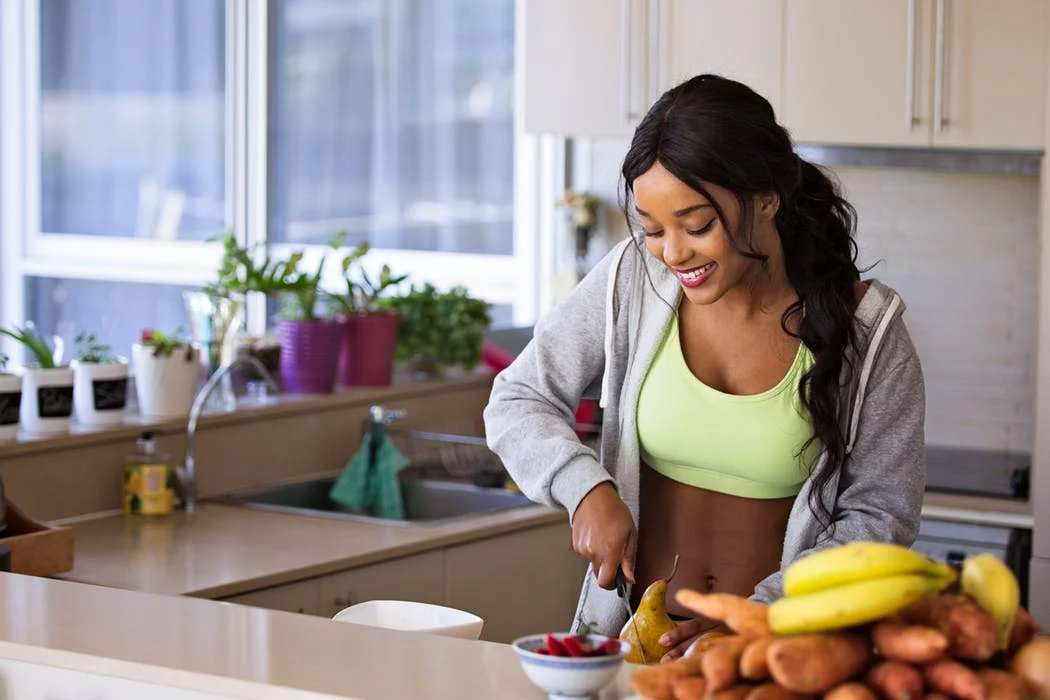
Mary
Mary is a 25. She works as a fitness instructor in San Francisco. On her spare time she enjoys going to the farmers market to buy fresh groceries for meal prep. She loves to exercise and has a strict diet. She also want to save money and live a sustainable lifestyle.
Goals
Ways to find to find locally grown produce
Reduce carbon footprint
Easy way to buy produce at a farmers market
Frustrations
Not many mobile apps in the market
Keeping track of farmer market transactions
Buying groceries can be boring
Brainstorm
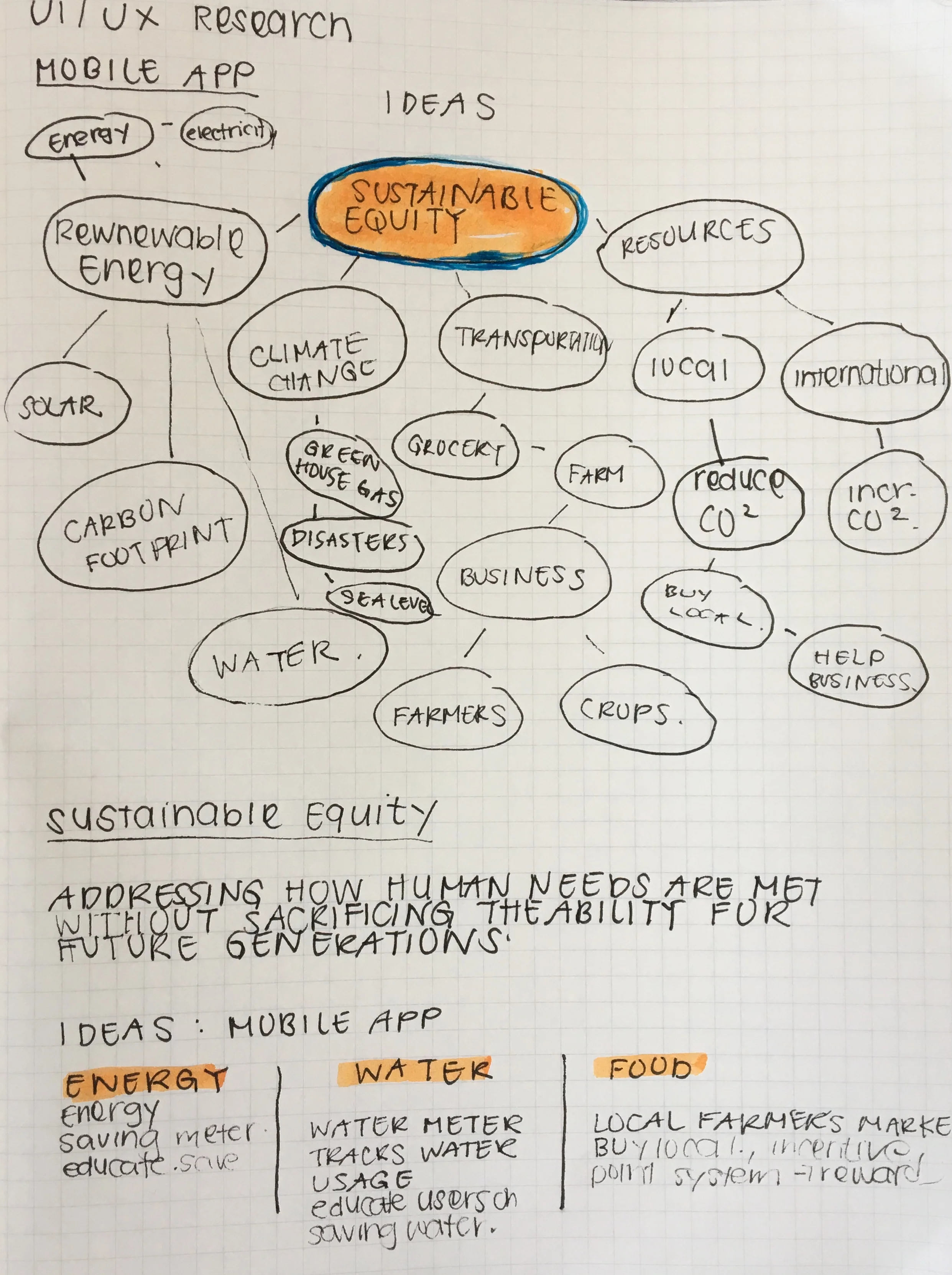
In this phase, I brainstormed ideas for my mobile app and I focused on the topic of sustainable equity. During the ideation phase I thought about water and energy usage, but I found food and produce to be an interesting topic. Especially on how might local farmers connect with locals to promote sustainability and foster caring communities.
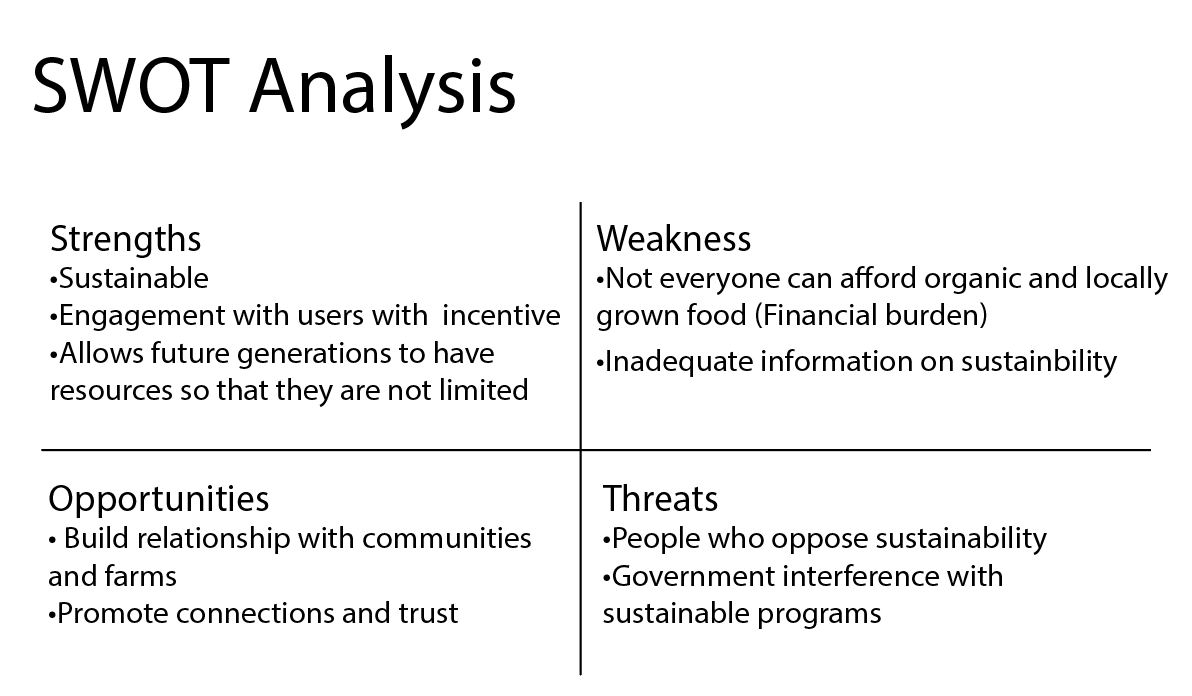
SWOT Analysis
Before prototyping my Urban Farm, I did a SWOT Analysis on the strength, weakness, opportunities, and threats that this mobile app can face. These were some of the idea I came up with.
Wireframe
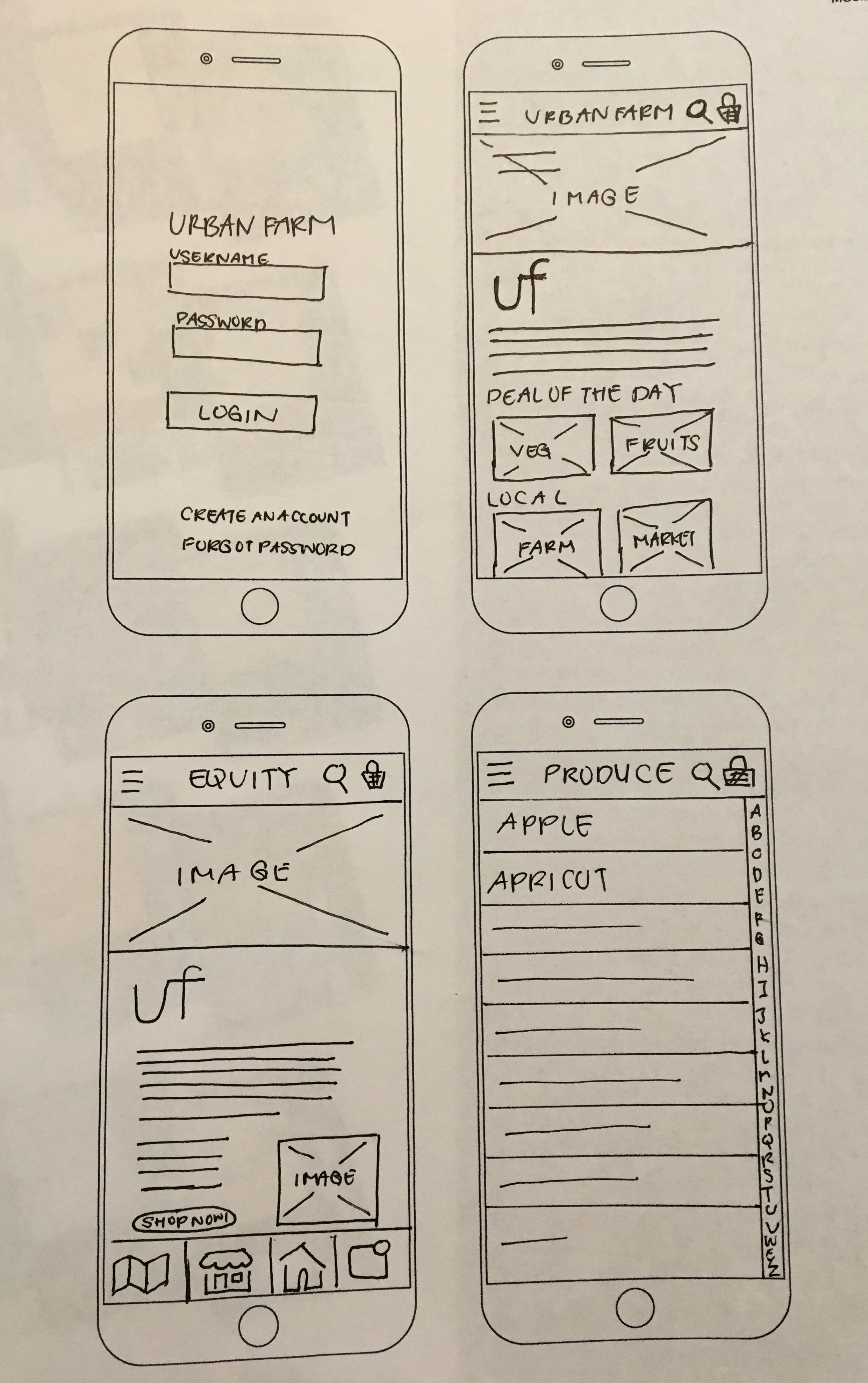
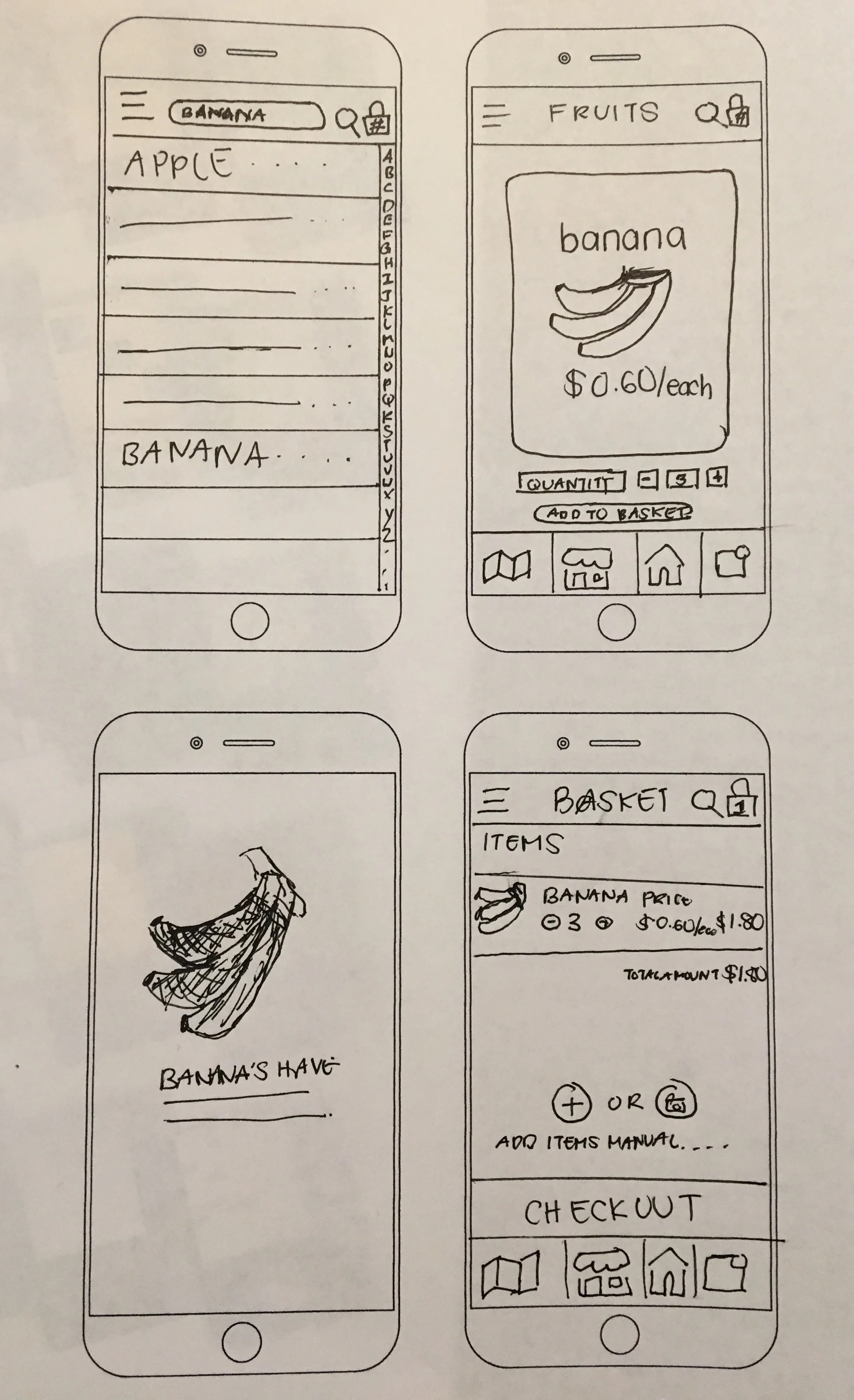
Wire frames
Hi-Fidelity Mock Ups
User Testing
For user testing I tested my mobile app with four people. Each user test was 10 minutes long, followed by a follow up questions for how well users were able to navigate through task.
Questions:
On a scale to 1-5 how hard was going from one tasks to another?
What were some of the problem you found navigating through the task?
What do you like least/most about this app?
Insights
Insight #1
Some of the insights I found from my users was that users wanted to know how much cheaper it would be to buy local than international transported goods.
Insight #2
Users felt that the app was a bit slow moving from one step to the other.
Insight #3
Users wanted a way to connect with local farmer market vendors in the future.
Final Designs
Login Screen
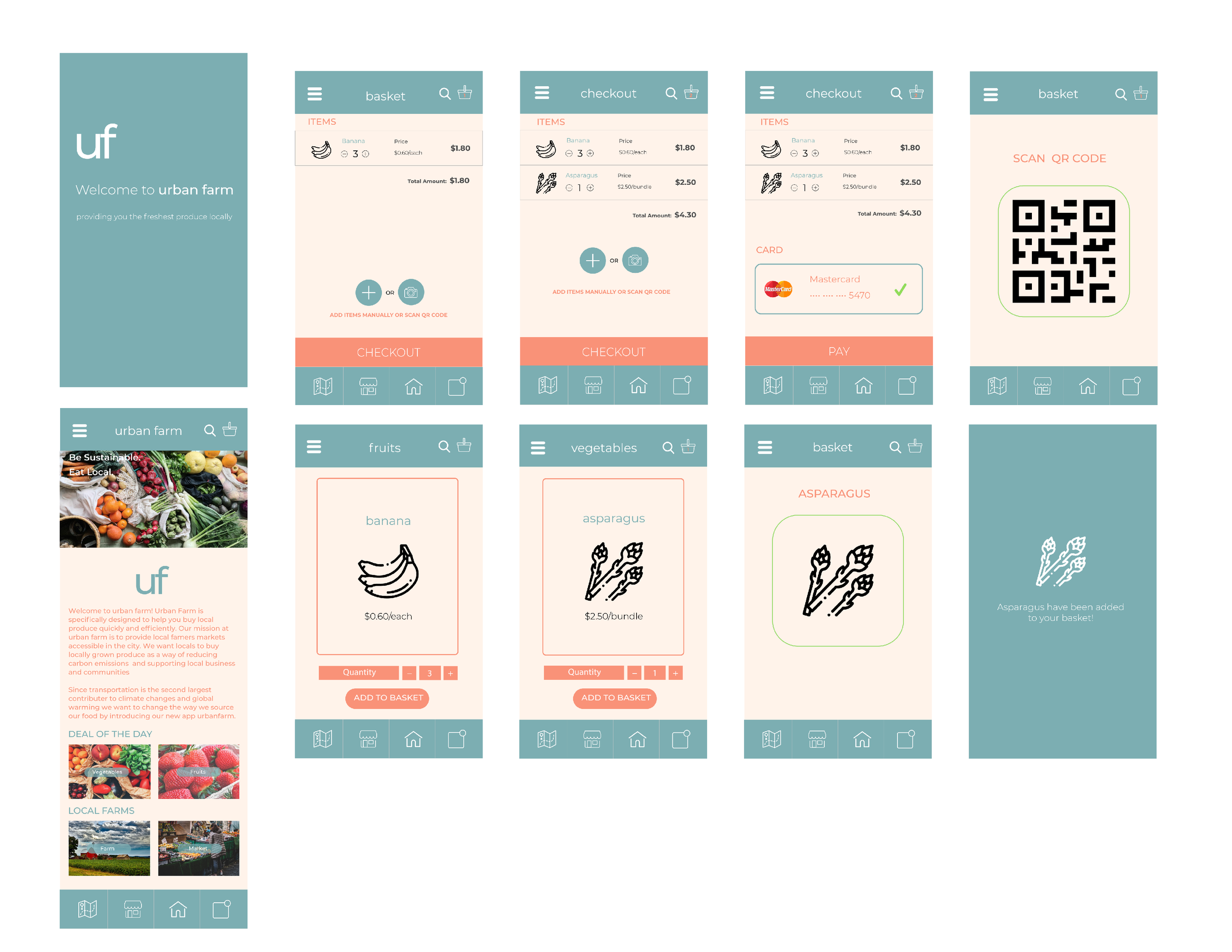
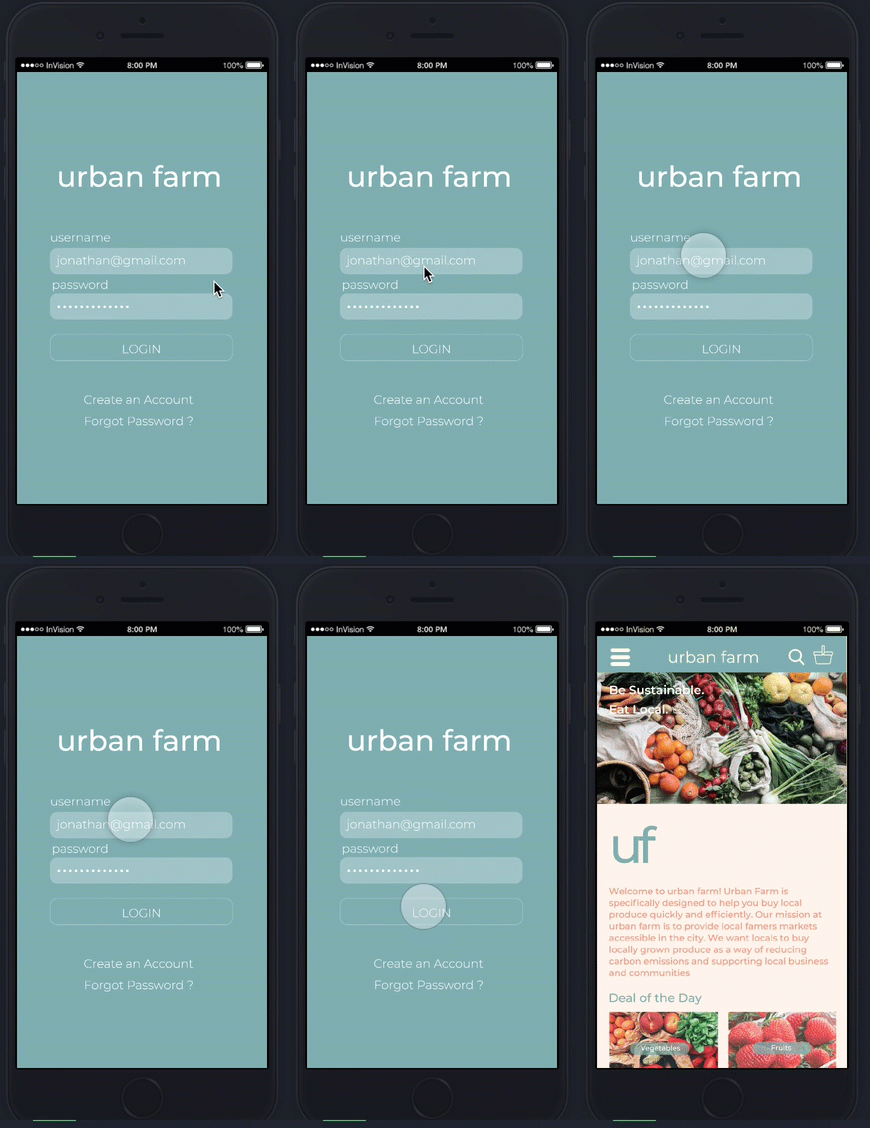
In this project I only prototyped key features of my my mobile app on InVision and screen captured how users would go through different task. On this screen you can see the login screen and homepage.
Homepage
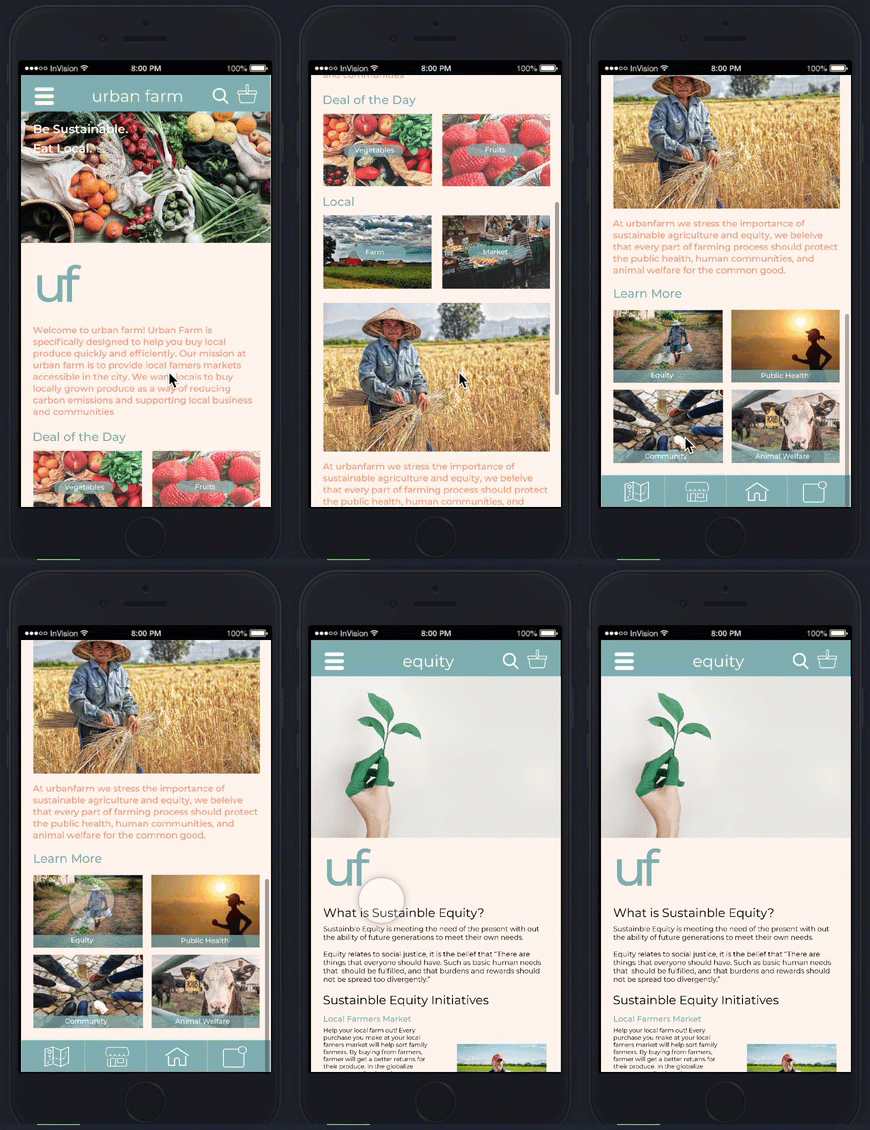
On the homepage of this screen, users can learn more about sustainable equity and what they can do to be more sustainable. Users can click on the box that says "Equity" to learn more.
Sustainable Equity
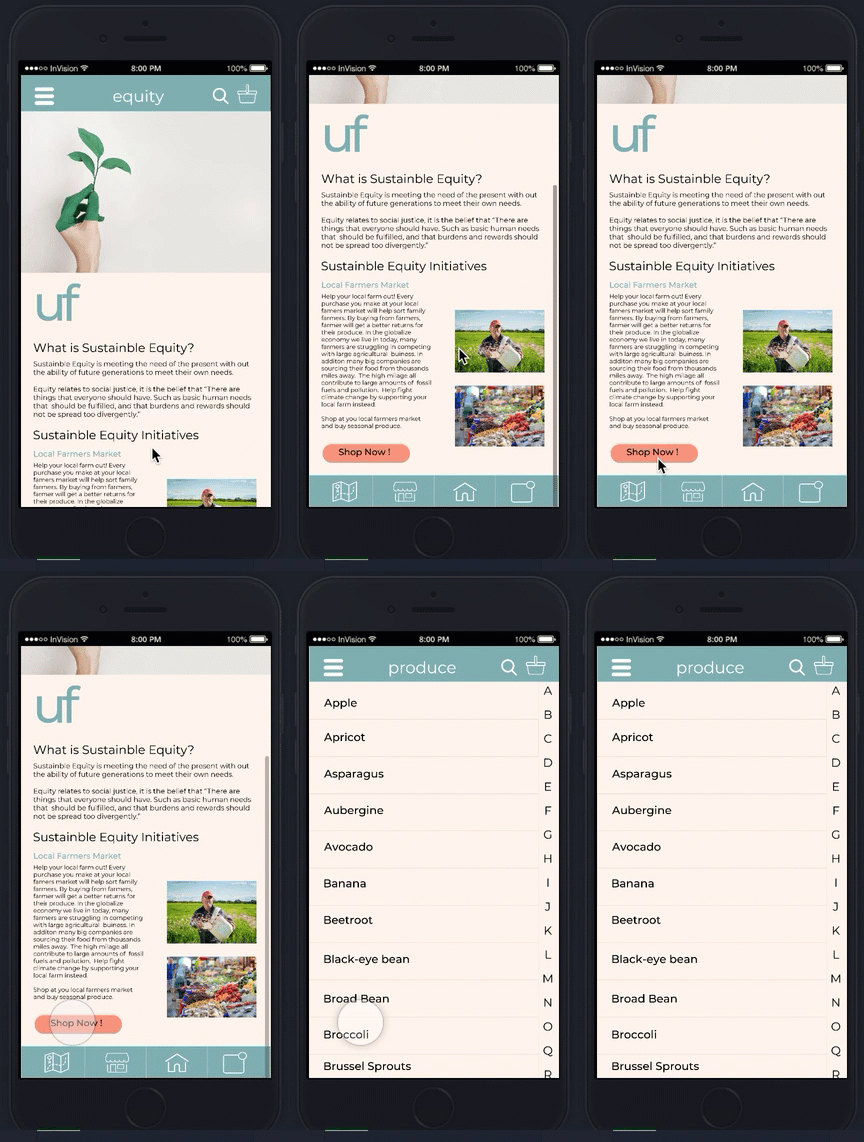
After reading how to be more sustainable, users can start shopping for produce. I included a call to action button so user can start buying local produce immediately. On this app there are two ways you can purchase produce, the first method is using the search function, and the other is using a QR code that would be scanned at each farmers market stand, where a the name and QR code would be labeled on a placard. After clicking on shop now, the screen will be switched to an alphabetized list of produce where users can search though produce that they would want to purchase.

Search Feature
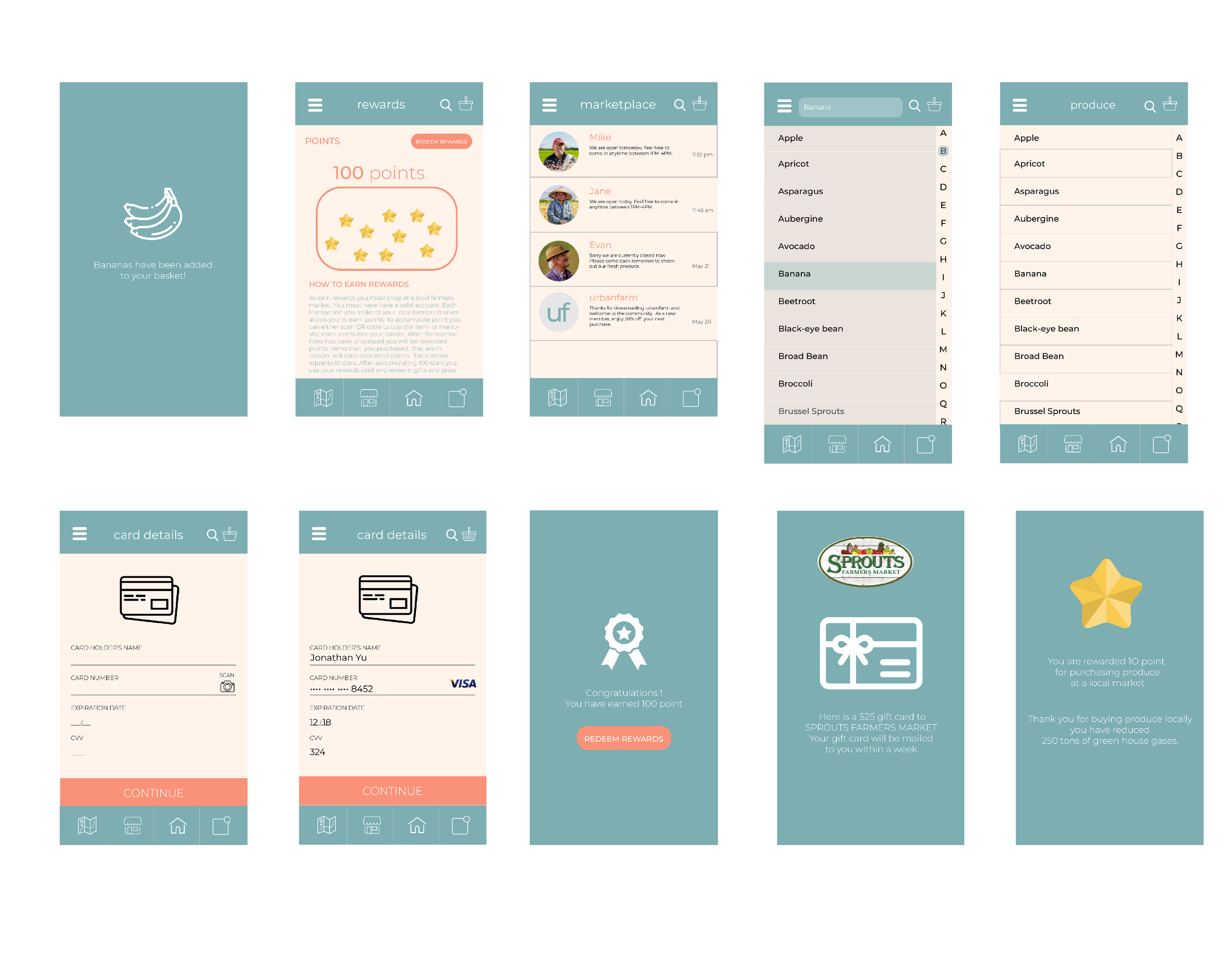
Using the search feature a search bar will automatically pop out. Once users type in a produce, in this case Banana, the item will be highlighted in teal. After users click on Banana, they will be brought to a page where user can click and adjust the quantity to their desire. After that users would add the item to the basket.
QR Code Function
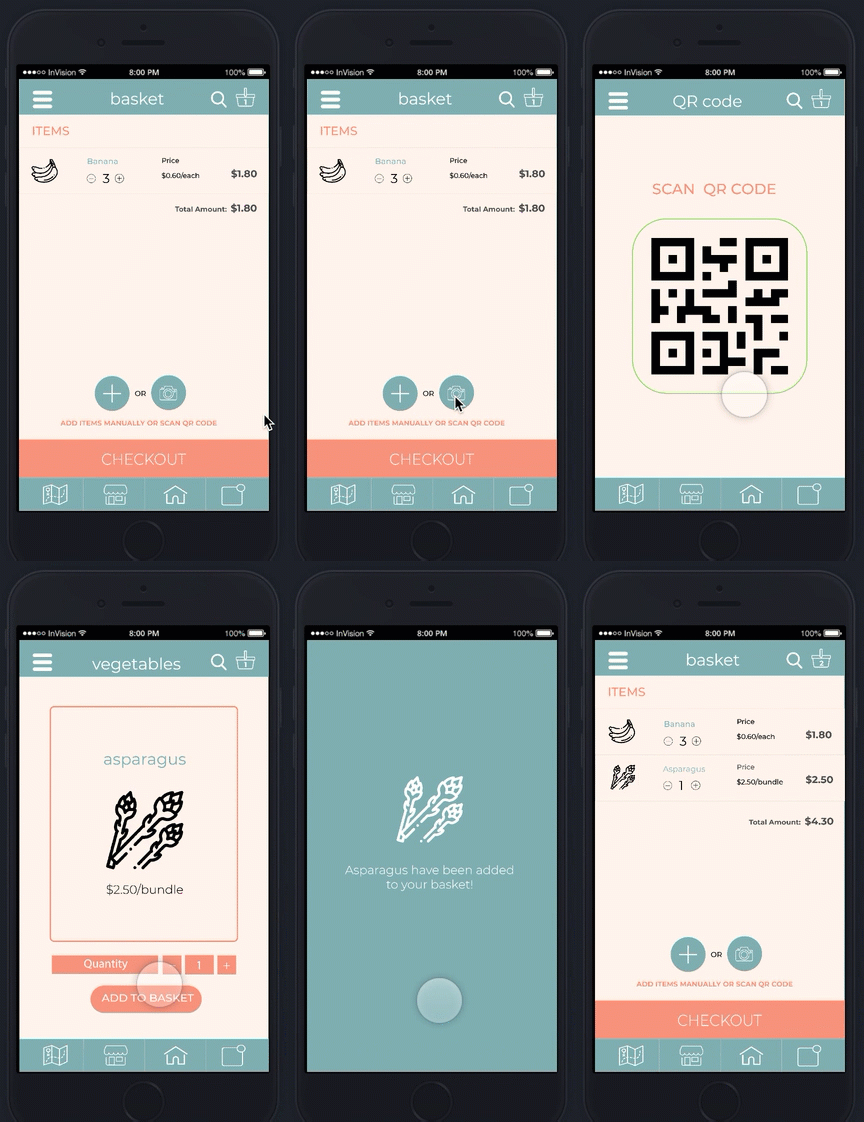
The QR Code function allows user to scan a specific item at the farm the farmer market. The seller of the produce will have a QR Code ready on a produce card that is located next to the produce. This allows users to easily scan the code and add the produce to the basket for transaction.
Check Out
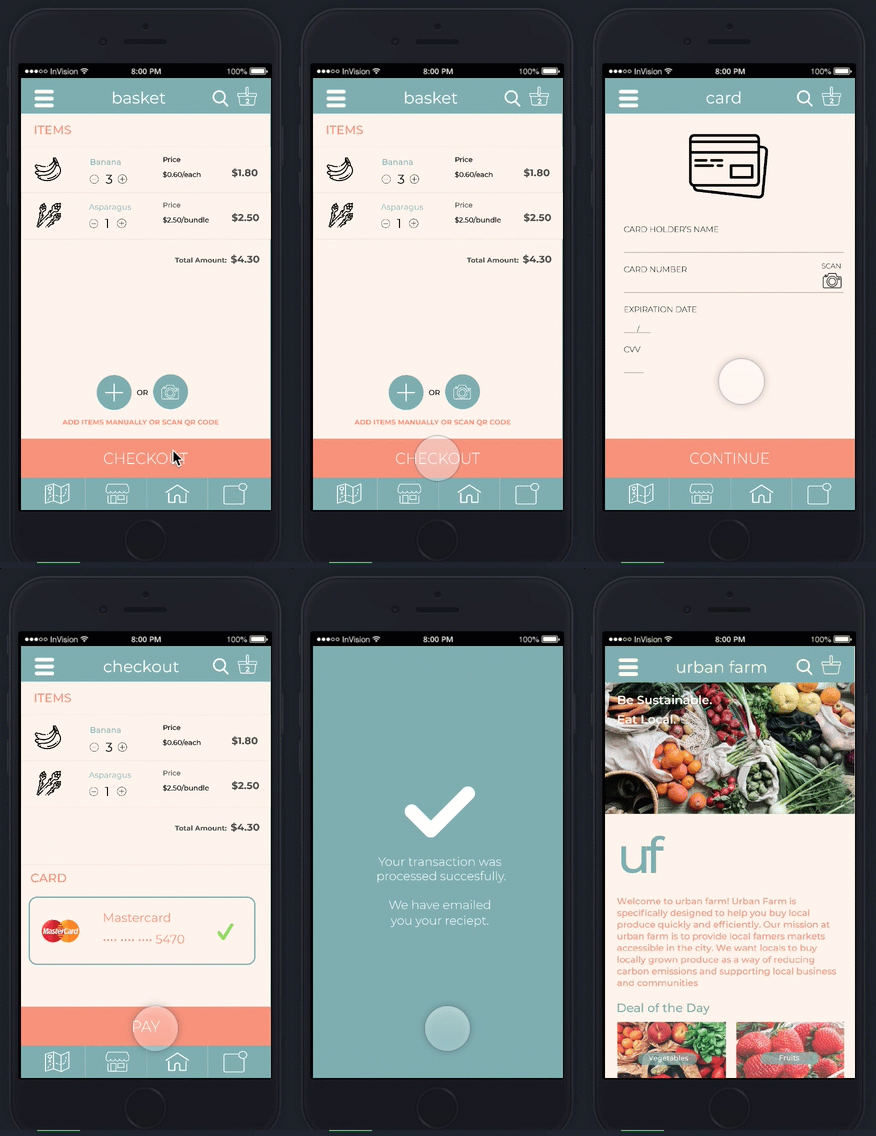
After users have added all items into the basket, they are ready to check out. When users are at the checkout stage, they would need to input their card information. Their card information would be validated if there is a green check mark, otherwise the card is either expired or no longer valid. User would click continue. After the purchase has been made there will be a new page that says your transaction has been successfully processed and your receipt will be emailed to you. You would then be awarded points as an incentive for buying local produce at your farmers market. Finally, you would be brought back to the home screen.
Reflection:
In going through multiple iterations, I got to know understand the different process of UX research and UX Design. Some of the process include user testing and research, personas, usability testing, wire-framing, prototyping. I got to experience and gain more insight as to how to prototype mobile applications. I made the process of going through the app more efficient by eliminated unnecessary buttons and task to reduce user error, and as a result users had an increase satisfaction. Although the mobile app still needs improvement, it was an amazing experience to learn about human centered design thinking while learning programs such as Adobe XD and Invision.